Table of Contents
Increasing the number of products visible per page
Today, I wanted to improve my website le-scoponet.fr by increasing the number of products visible per page from 16 (the default value) to 100.
Why you can’t use Gutenberg
As I use the theme Twenty Twenty Five (version 1.4), I instinctively modify the concerned template in gutenberg:
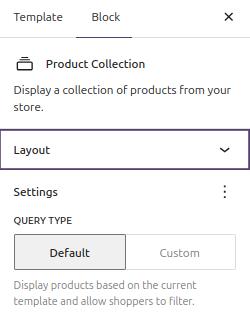
You cannot change the number of products per page -which is a basic need- by keeping the “product collection” block to ‘default’ mode…
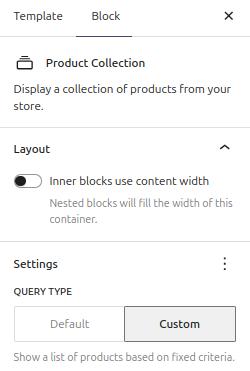
…you have to switch to ‘custom’ mode to have this option accessible in gutenberg.
The bug
The problem is switching to ‘custom’ cause the block to ignore the context entirely…
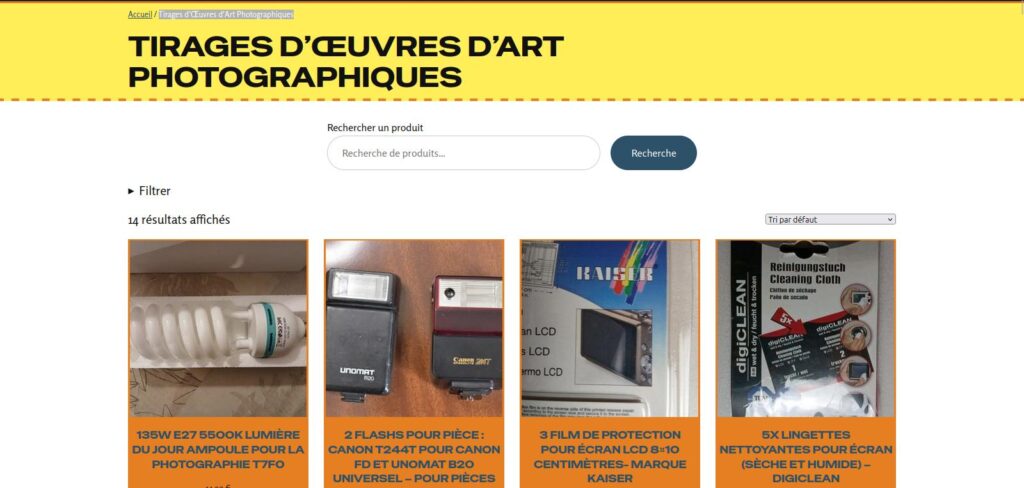
For example here, instead of seeing the beautiful art prints from the category “Tirages d’Œuvres d’Art Photographiques” we see all the products as if no filter is applied.
The solution:
Keep the “product collection” block into ‘default’.
As there is no way of changing the number of items per page in gutenberg by keeping it to ‘default’ at the same time, you’ll have to code.
Fortunately, the operation is quite simple, even if you are not a developer.
First, install the “Code Snippets” plugin. It will allow you to add the necessary PHP code easily to your website.

Click on “Add New” to add your PHP code.
Note: you don’t need the pro version to do this operation, the free one is enough.
Then you can paste this code:
add_filter( 'loop_shop_per_page', function( $cols ) {
    return 100;
}, 20 );
You can of course use other values than 100 by modifying the code (second line “return [your value];).
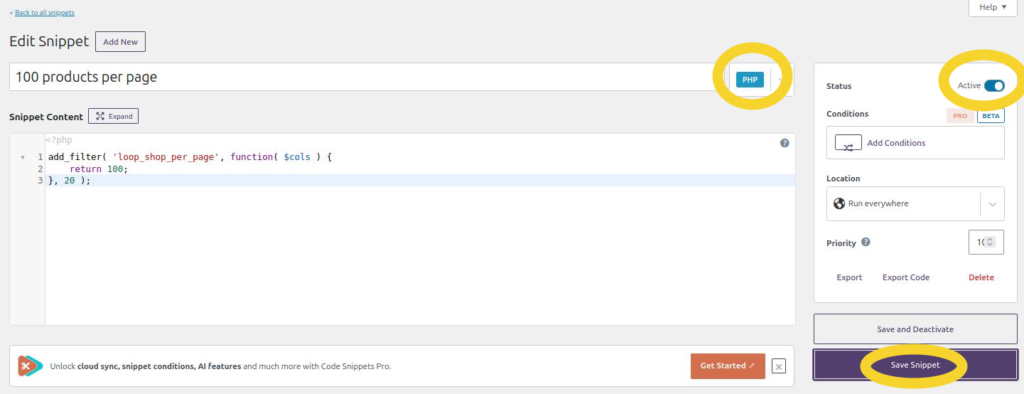
Be sure to have selected “PHP”, check the radio button to “Active” and save.
Congratulations! Now you have your 100 products per page and everything is working fine.

Be careful while personalizing your Woocommerce shop
FSE themes are most of the time easy to use but issue like this one may currently appear.
That’s a lesson I learned with Woocommerce: don’t trust, always verify.
Imagine that a potential customer faces this problem. Unless he is very enthusiast about your company, he’ll just conclude that your website is not serious and leave.
This bug or misleading user interface is not benign and should not exist.
Leave a Reply